Too many variables
Dimensions, materials and services all influence the final calculation.
ActSmart product · Configurable pricing
ActSmart’s Price Calculation Module guides customers or sales teams through dimensions, materials, options, and services—then turns those selections into a structured price and quotation workflow.
The business problem
Products with multiple dimensions, materials, services, and pricing rules are difficult to quote consistently. Manual calculations take time, create repeated work, and increase the risk of missing an option or applying the wrong rule.
Dimensions, materials and services all influence the final calculation.
The same selections can need to be entered again at each stage.
Different ways of preparing a quote can make review and follow-up harder.
How it works
Product configuration
Start with a material, finish, and thickness from the available catalogue before entering dimensions and choosing services.
PRODUCT SELECTION
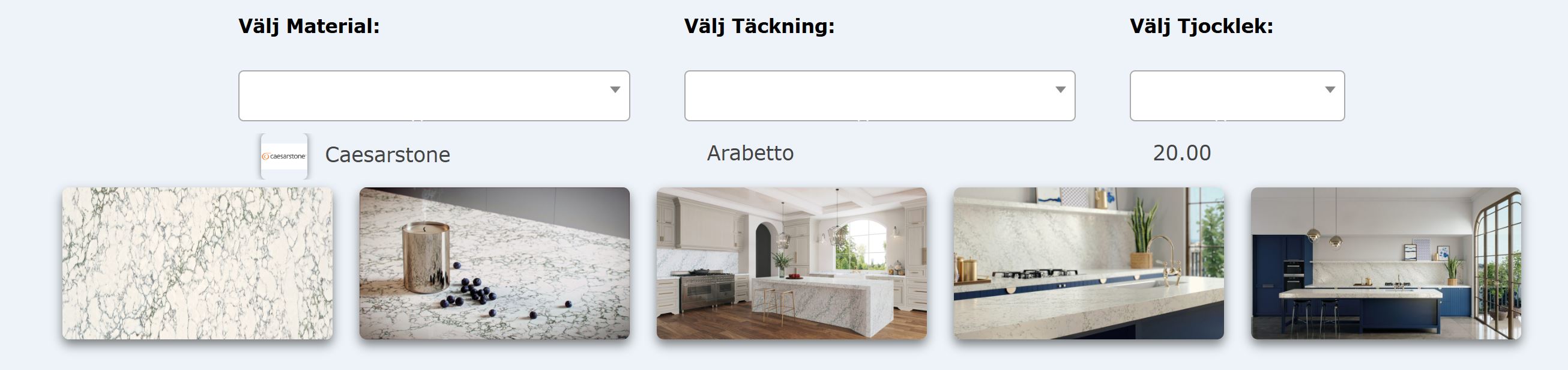
Choose a product type or start from a QR-linked item.
Add measurements, materials, finishes, services, or other configurable choices.
Apply structured pricing rules and present a clear calculation.
Send the calculated configuration into a quotation workflow for review and follow-up.
WORKFLOW OVERVIEW
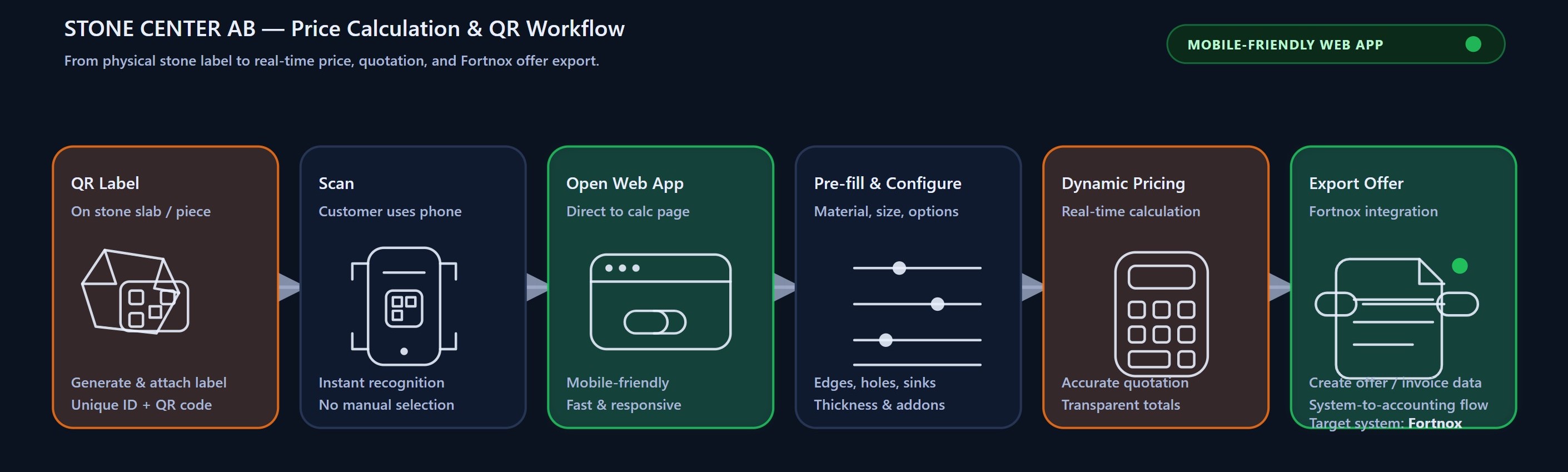
Example implementation. Export capabilities illustrated in the diagram depend on the agreed integration scope and are not a statement of available accounting or invoicing features.
Connect physical and digital
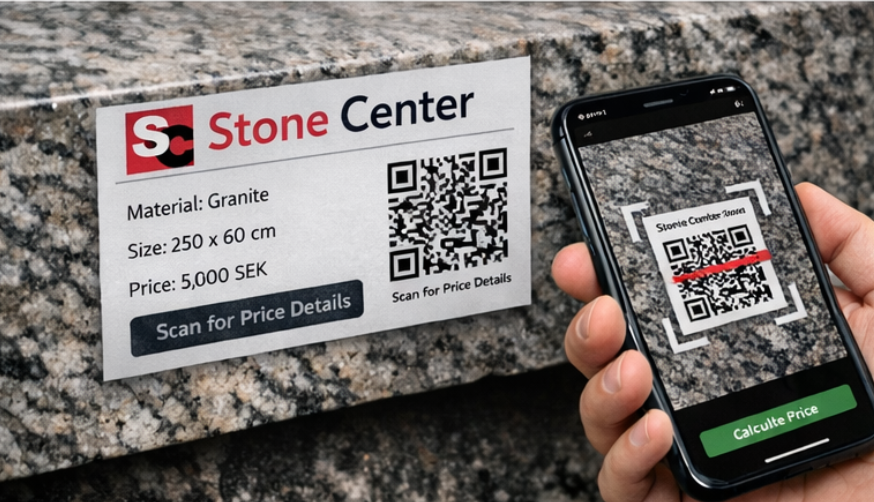
A QR code can connect a physical product, sample, or display directly to its digital configuration. Customers and sales teams can begin with the right product and continue through the required options.
The product is your starting point.
Example implementation
Main capabilities
Use measurements as inputs to the configured pricing model.
Guide selections across your available materials and finishes.
Include relevant services and extras in the configuration.
Organize the rules that connect product choices to calculated values.
Start with a product identified through a QR-linked item.
Prepare the configuration for review and the next sales step.
INTERFACE PREVIEW
Each step can be adapted to the product catalogue, pricing rules, and quotation workflow of the business.
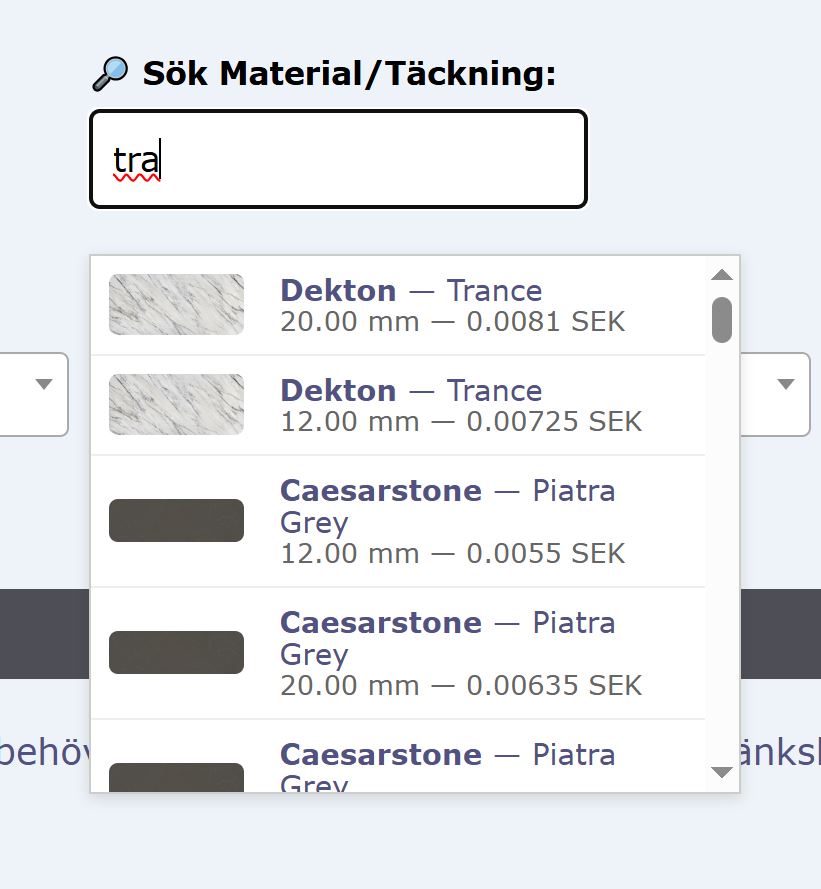
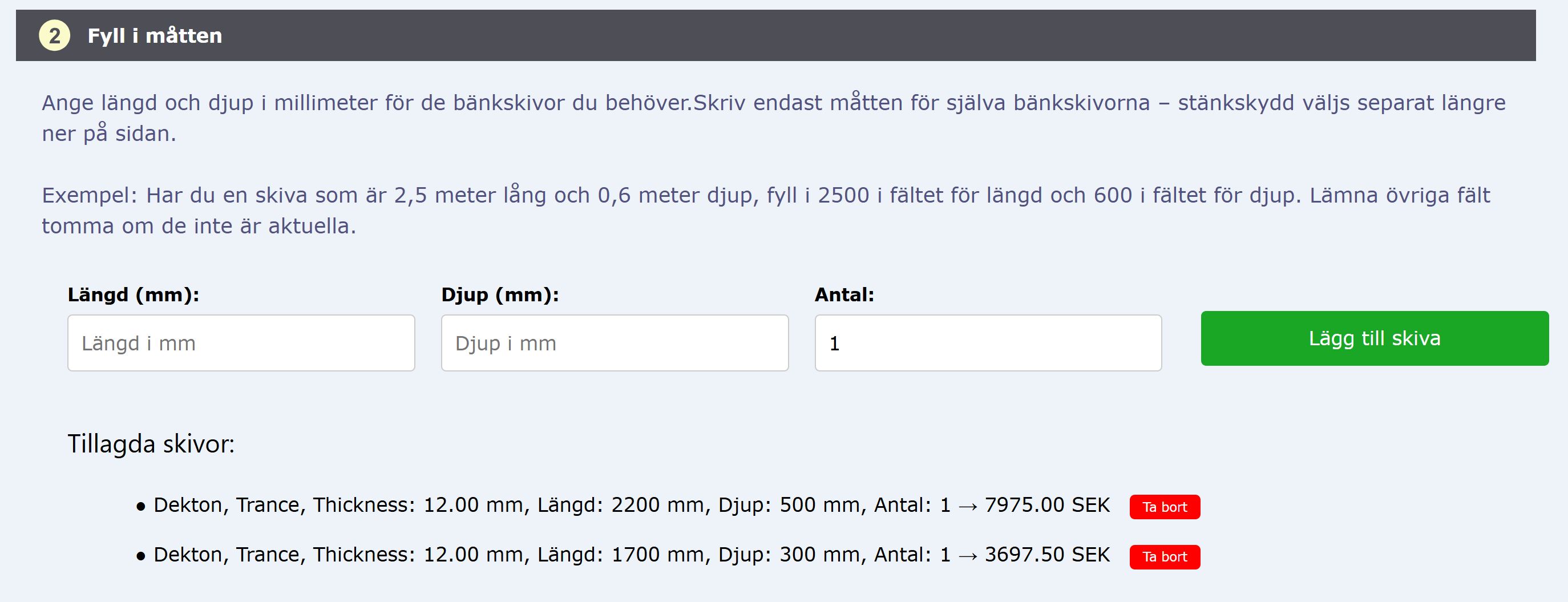
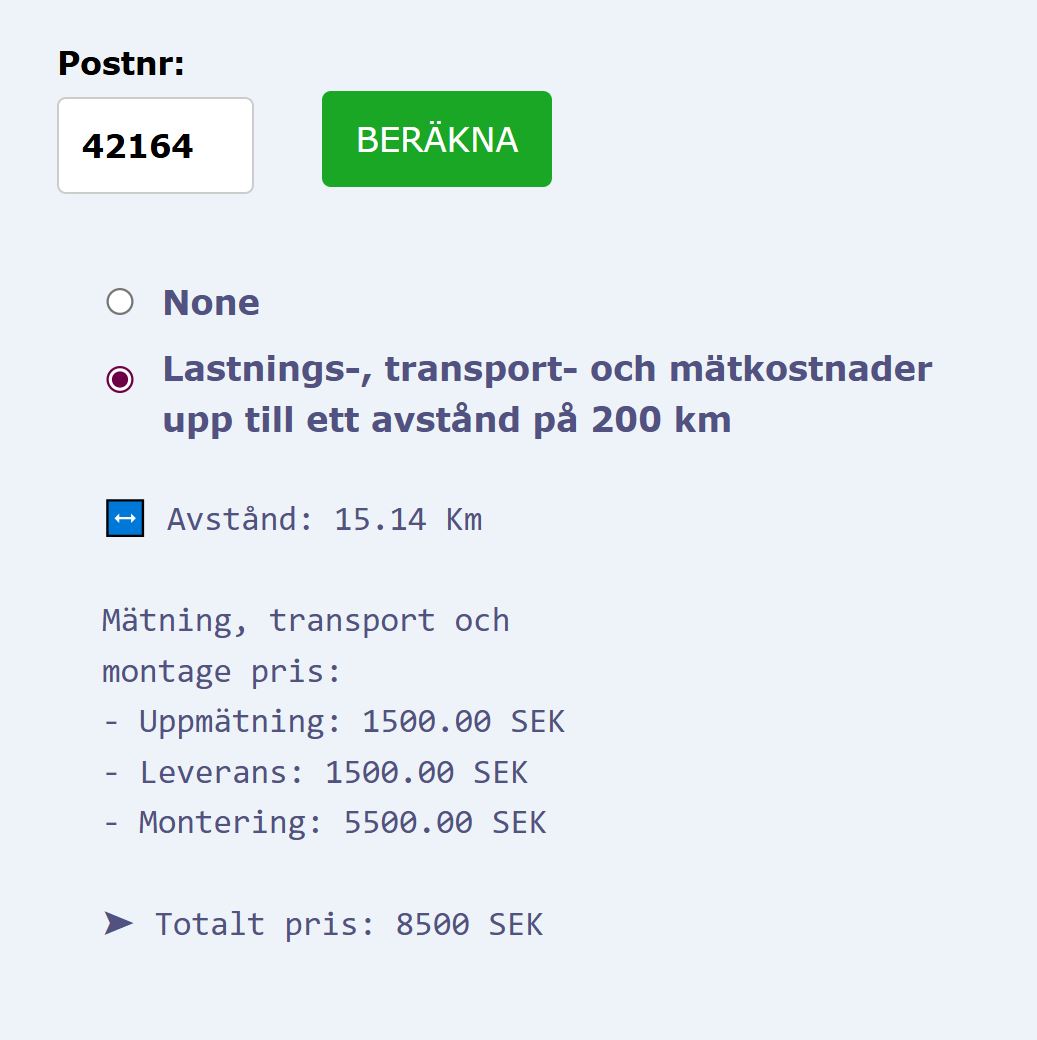
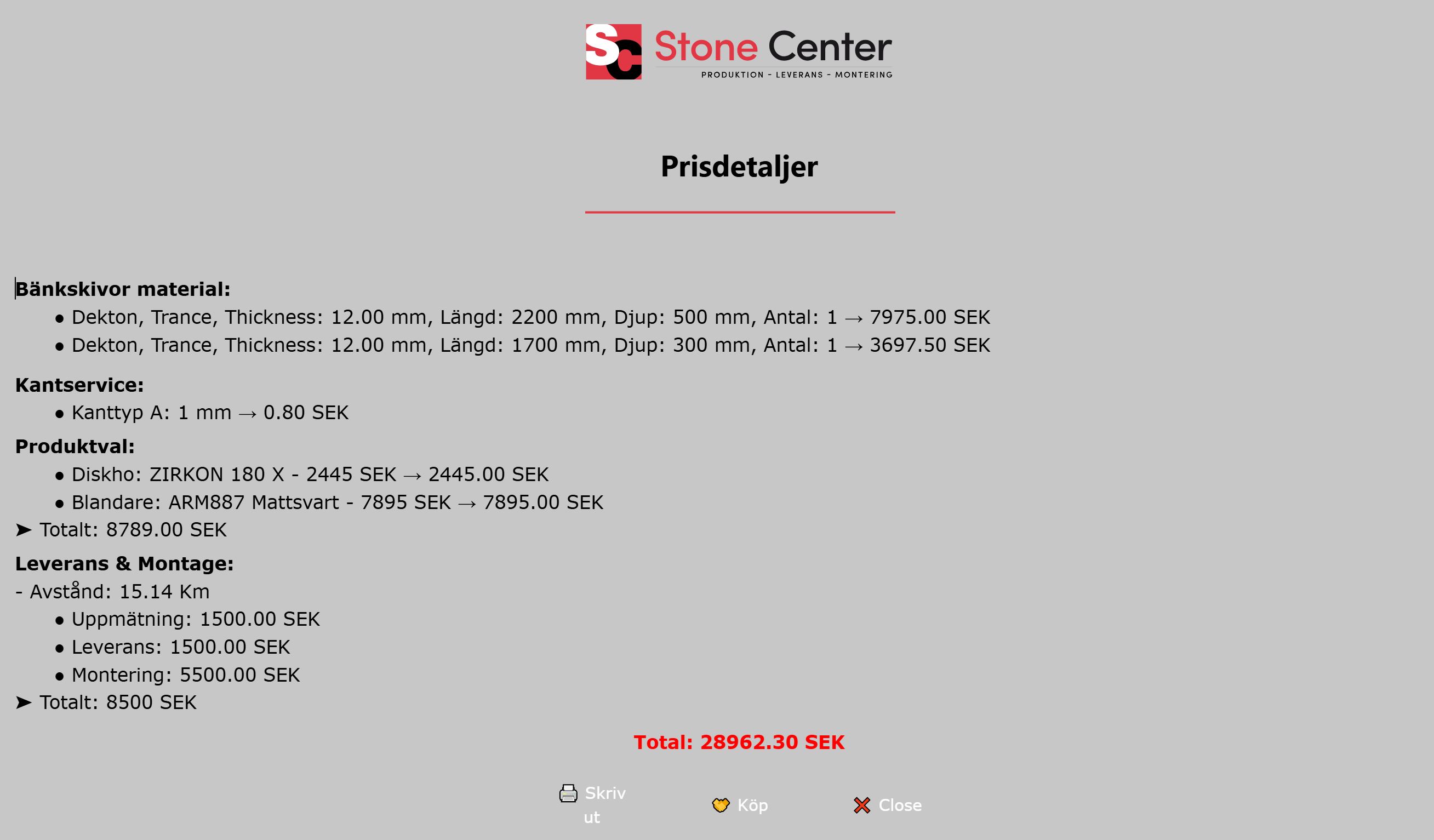
Interface examples are shown for demonstration purposes. Final design, catalogue, and workflow are adapted to each implementation.
Product walkthrough
Workflow integration
Connect the calculated configuration to a Fortnox quotation workflow and reduce duplicate data entry. Product selections, calculated values, and relevant customer information can be prepared for the next step in the sales process.
Available integration scope depends on the customer’s Fortnox setup and workflow.
Product selections · Calculated values
Relevant customer information
Business benefits
A guided calculation process is designed to support:
Suitable industries
The module is adapted to the product catalogue, pricing model, and workflow of each business.
Let’s build the right workflow
Show us how you calculate prices today. We can discuss where a guided calculation workflow could save time and improve clarity.